
Orbit map
Trainer
Trainer is where you practice spots. Use this page to understand each region.
Interactive map
Hover or focus a highlighted region for a quick description. Click to open the related page.
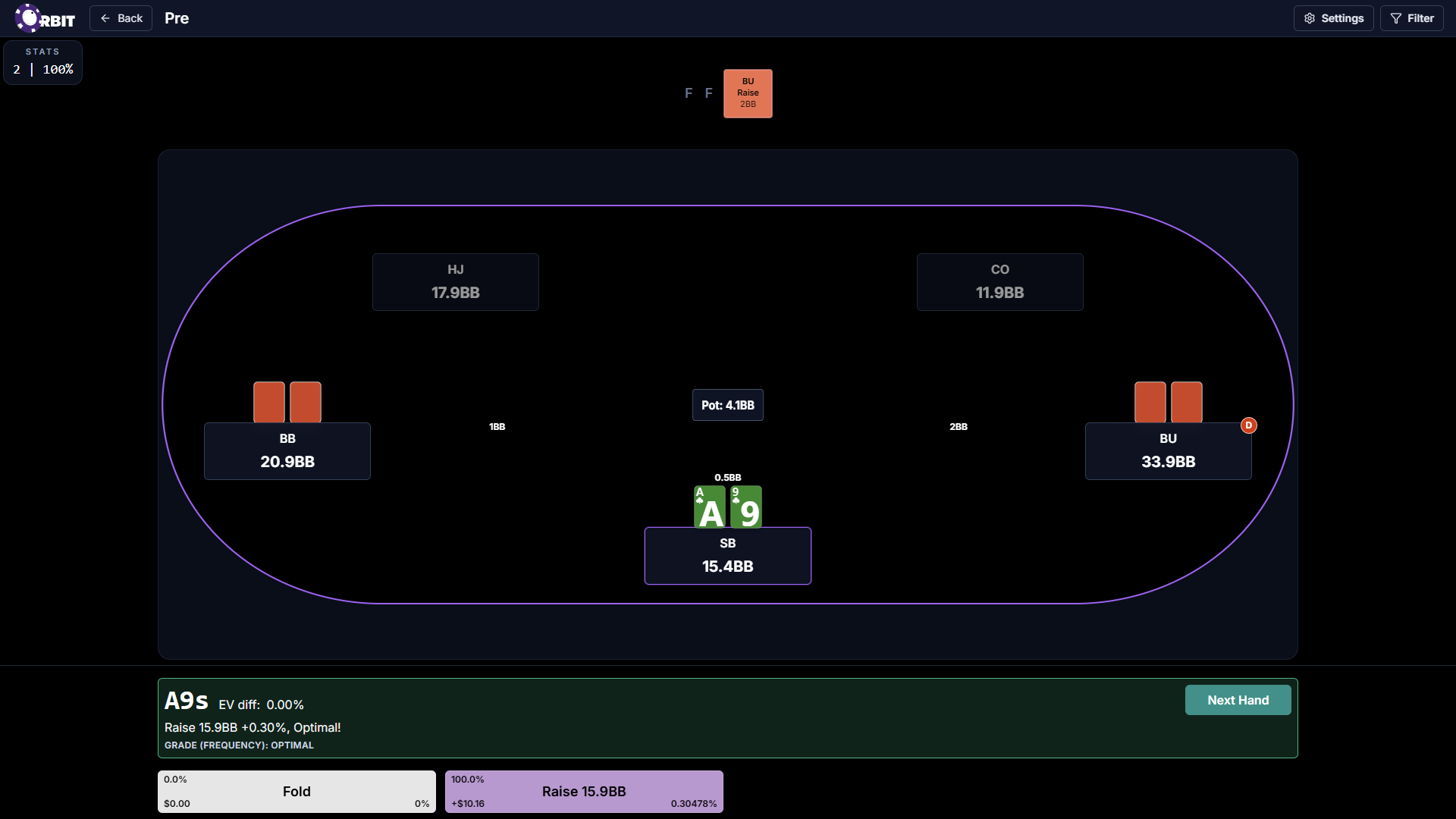
Map regions
These cards mirror the hotspots above and link to the related docs pages.

Filter panel
Open the preflop trainer filters tutorial for Current spot filters, node pool, and category glossary depth.
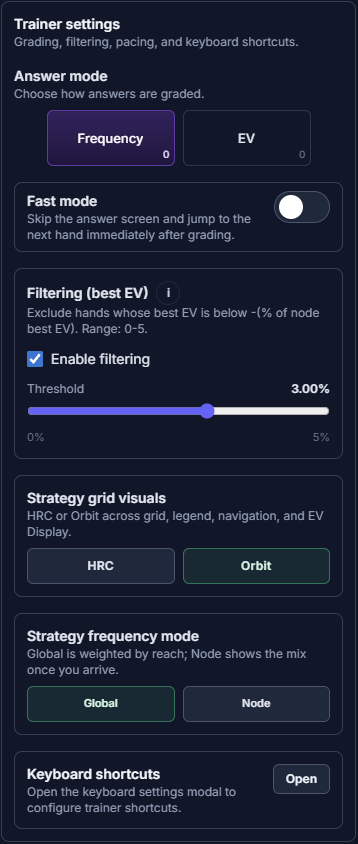
Trainer settings
Open the trainer settings tutorial for answer mode, fast mode, filtering (best EV), visual styles, and keyboard shortcuts.

Train playlist
Open the library playlists tutorial to scope spots and launch playlist Trainer from the Library.

Viewer
Open the Viewer screen map to review a spot in the tree before you train.

Library
Return to the main Orbit home and your spots grid. Same destination as the Orbit logo and Back to Library controls on Settings and Viewer maps.